24th November 2024 - Link Blog
open-interpreter (via) This "natural language interface for computers" open source ChatGPT Code Interpreter alternative has been around for a while, but today I finally got around to trying it out.
Here's how I ran it (without first installing anything) using uv:
uvx --from open-interpreter interpreter
The default mode asks you for an OpenAI API key so it can use gpt-4o - there are a multitude of other options, including the ability to use local models with interpreter --local.
It runs in your terminal and works by generating Python code to help answer your questions, asking your permission to run it and then executing it directly on your computer.
I pasted in an API key and then prompted it with this:
find largest files on my desktop
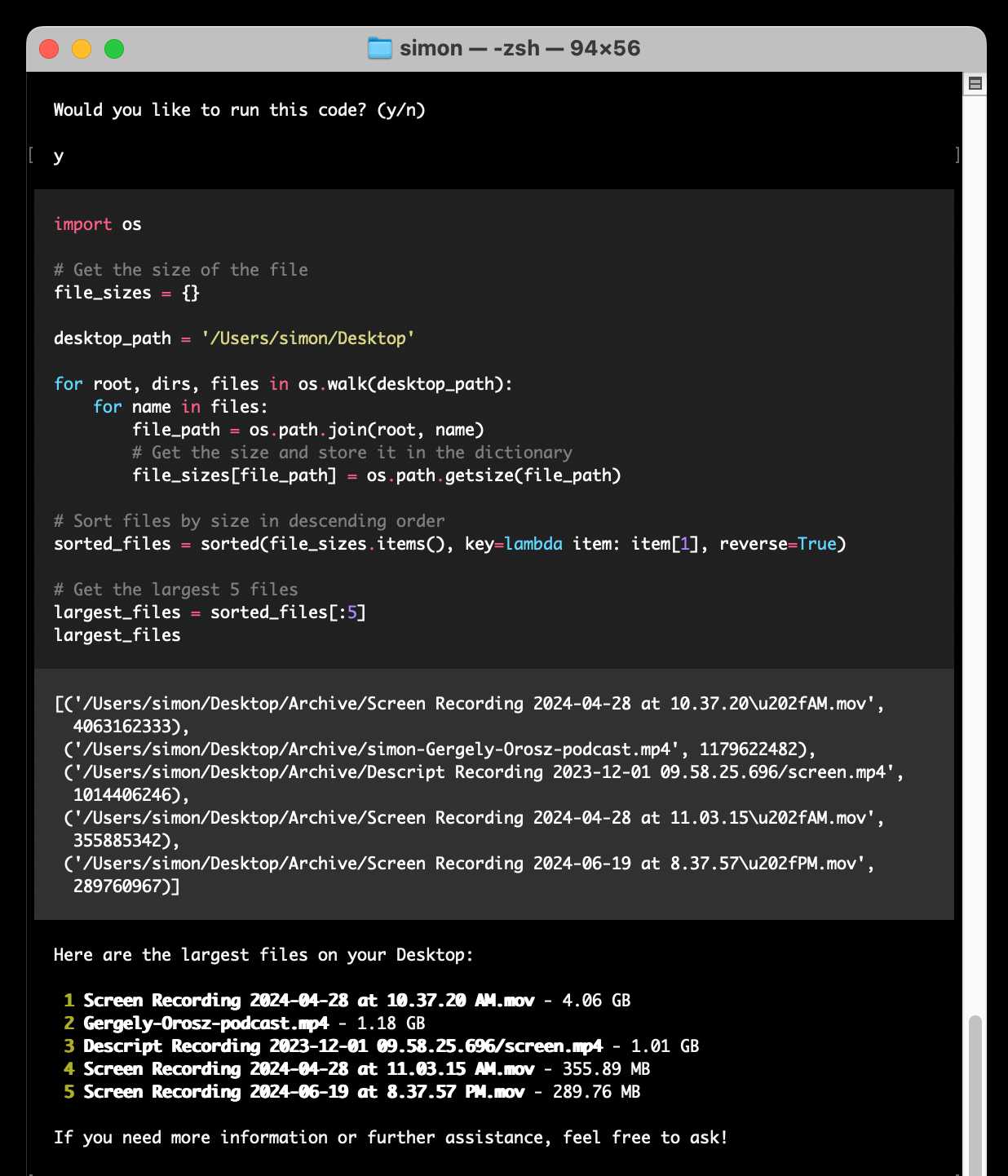
Here's the full transcript.
Since code is run directly on your machine there are all sorts of ways things could go wrong if you don't carefully review the generated code before hitting "y". The team have an experimental safe mode in development which works by scanning generated code with semgrep. I'm not convinced by that approach, I think executing code in a sandbox would be a much more robust solution here - but sandboxing Python is still a very difficult problem.
They do at least have an experimental Docker integration.
Recent articles
- Qwen 3.8 27B on my laptop can interpret model weights, too - 3rd November 2026
- The U.S. Census Bureau and “Super Intelligence” - 2nd November 2026
- The October inflection point for vibe game development - 28th October 2026
- Battle Drones - a vibe coded RTS with audio-based multiplayer - 20th October 2026