Adding dynamic features to an aggressively cached website
28th January 2026
My blog uses aggressive caching: it sits behind Cloudflare with a 15 minute cache header, which guarantees it can survive even the largest traffic spike to any given page. I’ve recently added a couple of dynamic features that work in spite of that full-page caching. Here’s how those work.
Edit links that are visible only to me
This is a Django site and I manage it through the Django admin.
I have four types of content—entries, link posts (aka blogmarks), quotations and notes. Each of those has a different model and hence a different Django admin area.
I wanted an “edit” link on the public pages that was only visible to me.
The button looks like this:

I solved conditional display of this button with localStorage. I have a tiny bit of JavaScript which checks to see if the localStorage key ADMIN is set and, if it is, displays an edit link based on a data attribute:
document.addEventListener('DOMContentLoaded', () => {
  if (window.localStorage.getItem('ADMIN')) {
    document.querySelectorAll('.edit-page-link').forEach(el => {
      const url = el.getAttribute('data-admin-url');
      if (url) {
        const a = document.createElement('a');
        a.href = url;
        a.className = 'edit-link';
        a.innerHTML = '<svg>...</svg> Edit';
        el.appendChild(a);
        el.style.display = 'block';
      }
    });
  }
});
If you want to see my edit links you can run this snippet of JavaScript:
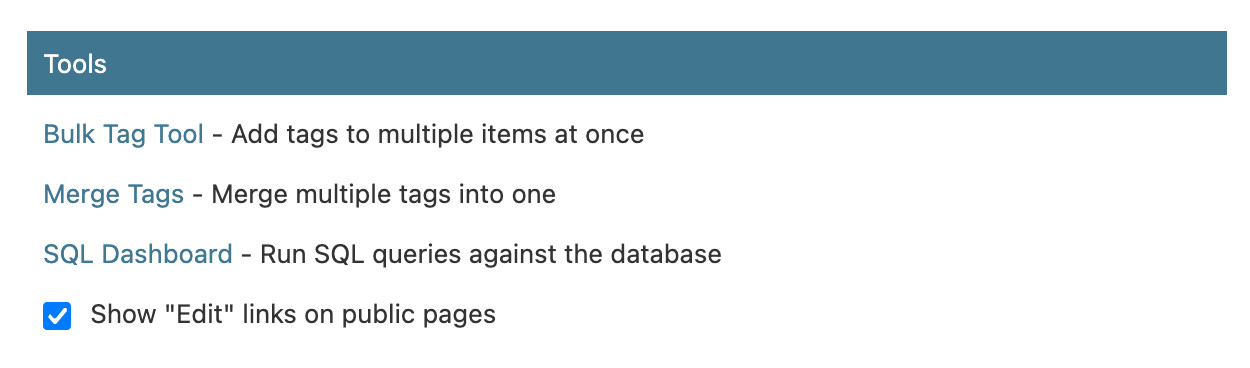
localStorage.setItem('ADMIN', '1');My Django admin dashboard has a custom checkbox I can click to turn this option on and off in my own browser:
Random navigation within a tag
Those admin edit links are a very simple pattern. A more interesting one is a feature I added recently for navigating randomly within a tag.
Here’s an animated GIF showing those random tag navigations in action (try it here):
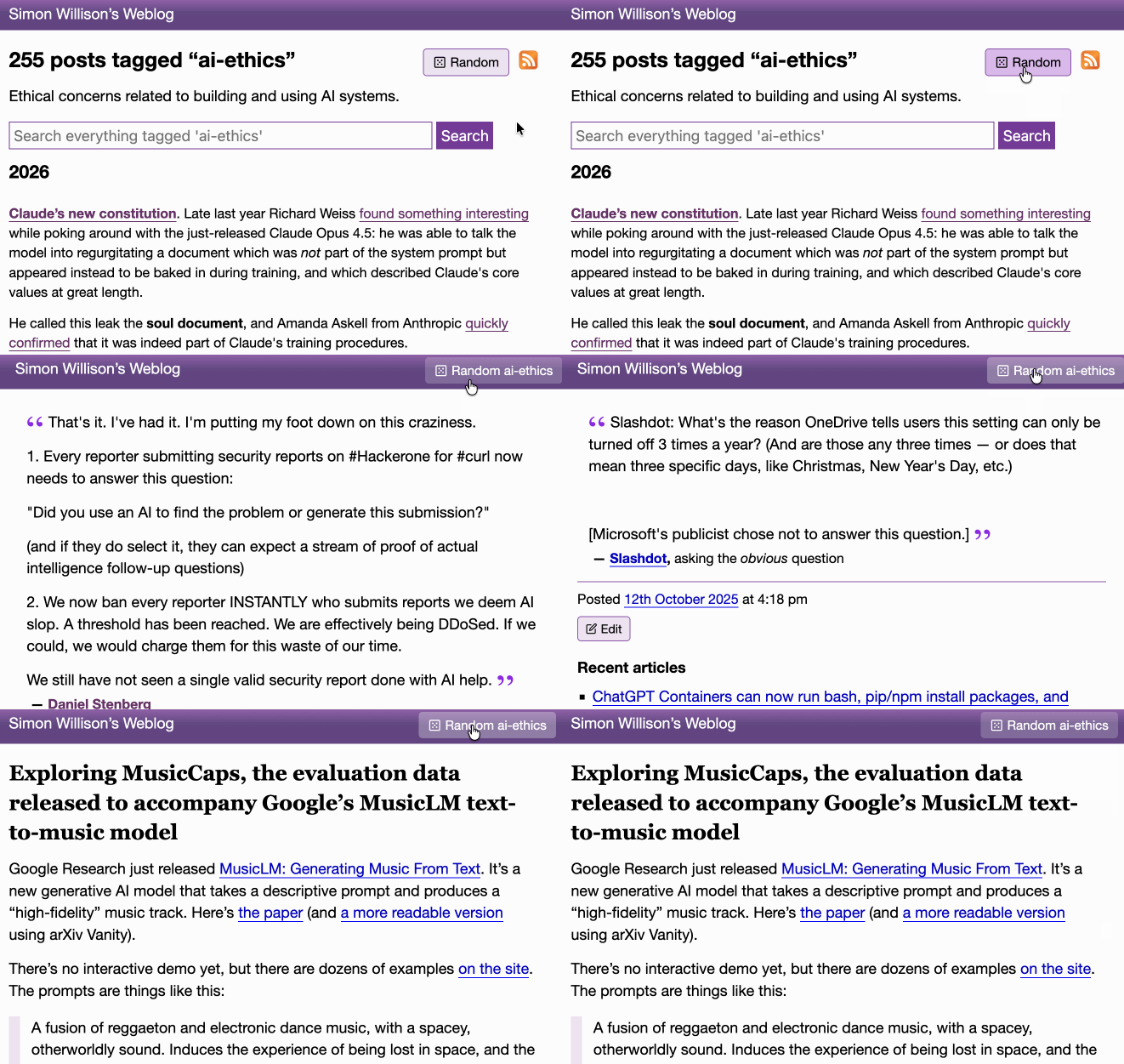
On any of my blog’s tag pages you can click the “Random” button to bounce to a random post with that tag. That random button then persists in the header of the page and you can click it to continue bouncing to random items in that same tag.
A post can have multiple tags, so there needs to be a little bit of persistent magic to remember which tag you are navigating and display the relevant button in the header.
Once again, this uses localStorage. Any click to a random button records both the tag and the current timestamp to the random_tag key in localStorage before redirecting the user to the /random/name-of-tag/ page, which selects a random post and redirects them there.
Any time a new page loads, JavaScript checks if that random_tag key has a value that was recorded within the past 5 seconds. If so, that random button is appended to the header.
This means that, provided the page loads within 5 seconds of the user clicking the button, the random tag navigation will persist on the page.
You can see the code for that here.
And the prompts
I built the random tag feature entirely using Claude Code for web, prompted from my iPhone. I started with the /random/TAG/ endpoint (full transcript):
Build /random/TAG/—a page which picks a random post (could be an entry or blogmark or note or quote) that has that tag and sends a 302 redirect to it, marked as no-cache so Cloudflare does not cache it
Use a union to build a list of every content type (a string representing the table out of the four types) and primary key for every item tagged with that tag, then order by random and return the first one
Then inflate the type and ID into an object and load it and redirect to the URL
Include tests—it should work by setting up a tag with one of each of the content types and then running in a loop calling that endpoint until it has either returned one of each of the four types or it hits 1000 loops at which point fail with an error
Then:
I do not like that solution, some of my tags have thousands of items
Can we do something clever with a CTE?
Here’s the something clever with a CTE solution we ended up with.
For the “Random post” button (transcript):
Look at most recent commit, then modify the /tags/xxx/ page to have a “Random post” button which looks good and links to the /random/xxx/ page
Then:
Put it before not after the feed icon. It should only display if a tag has more than 5 posts
And finally, the localStorage implementation that persists a random tag button in the header (transcript):
Review the last two commits. Make it so clicking the Random button on a tag page sets a localStorage value for random_tag with that tag and a timestamp. On any other page view that uses the base item template add JS that checks for that localStorage value and makes sure the timestamp is within 5 seconds. If it is within 5 seconds it adds a “Random name-of-tag” button to the little top navigation bar, styled like the original Random button, which bumps the localStorage timestamp and then sends the user to /random/name-of-tag/ when they click it. In this way clicking “Random” on a tag page will send the user into an experience where they can keep clicking to keep surfing randomly in that topic.
More recent articles
- Mr. Chatterbox is a (weak) Victorian-era ethically trained model you can run on your own computer - 30th March 2026
- Vibe coding SwiftUI apps is a lot of fun - 27th March 2026
- Experimenting with Starlette 1.0 with Claude skills - 22nd March 2026