Introducing Showboat and Rodney, so agents can demo what they’ve built
10th February 2026
A key challenge working with coding agents is having them both test what they’ve built and demonstrate that software to you, their supervisor. This goes beyond automated tests—we need artifacts that show their progress and help us see exactly what the agent-produced software is able to do. I’ve just released two new tools aimed at this problem: Showboat and Rodney.
- Proving code actually works
- Showboat: Agents build documents to demo their work
- Rodney: CLI browser automation designed to work with Showboat
- Test-driven development helps, but we still need manual testing
- I built both of these tools on my phone
Proving code actually works
I recently wrote about how the job of a software engineer isn’t to write code, it’s to deliver code that works. A big part of that is proving to ourselves and to other people that the code we are responsible for behaves as expected.
This becomes even more important—and challenging—as we embrace coding agents as a core part of our software development process.
The more code we churn out with agents, the more valuable tools are that reduce the amount of manual QA time we need to spend.
One of the most interesting things about the StrongDM software factory model is how they ensure that their software is well tested and delivers value despite their policy that “code must not be reviewed by humans”. Part of their solution involves expensive swarms of QA agents running through “scenarios” to exercise their software. It’s fascinating, but I don’t want to spend thousands of dollars on QA robots if I can avoid it!
I need tools that allow agents to clearly demonstrate their work to me, while minimizing the opportunities for them to cheat about what they’ve done.
Showboat: Agents build documents to demo their work
Showboat is the tool I built to help agents demonstrate their work to me.
It’s a CLI tool (a Go binary, optionally wrapped in Python to make it easier to install) that helps an agent construct a Markdown document demonstrating exactly what their newly developed code can do.
It’s not designed for humans to run, but here’s how you would run it anyway:
showboat init demo.md 'How to use curl and jq'
showboat note demo.md "Here's how to use curl and jq together."
showboat exec demo.md bash 'curl -s https://api.github.com/repos/simonw/rodney | jq .description'
showboat note demo.md 'And the curl logo, to demonstrate the image command:'
showboat image demo.md 'curl -o curl-logo.png https://curl.se/logo/curl-logo.png && echo curl-logo.png'
Here’s what the result looks like if you open it up in VS Code and preview the Markdown:
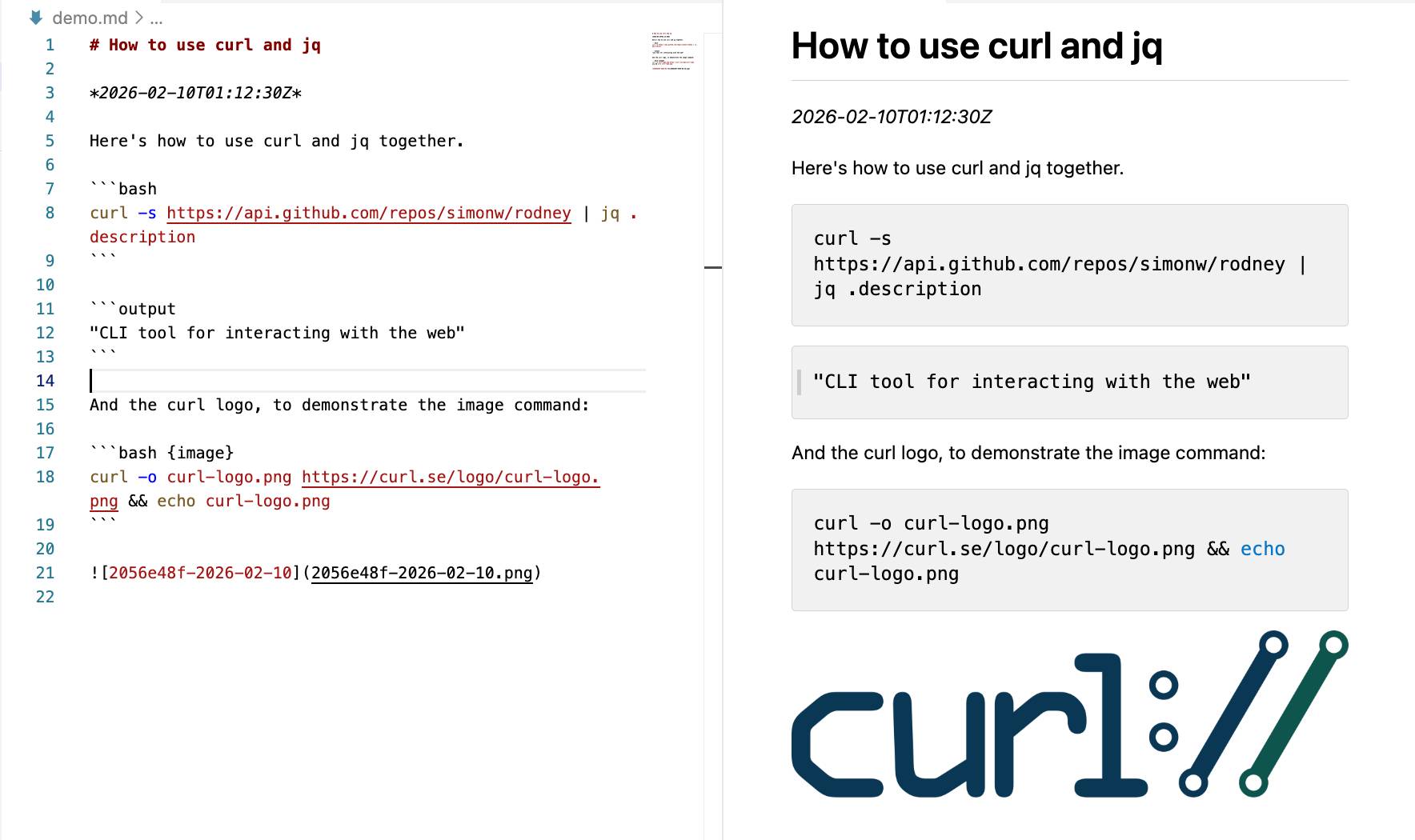
Here’s that demo.md file in a Gist.
So a sequence of showboat init, showboat note, showboat exec and showboat image commands constructs a Markdown document one section at a time, with the output of those exec commands automatically added to the document directly following the commands that were run.
The image command is a little special—it looks for a file path to an image in the output of the command and copies that image to the current folder and references it in the file.
That’s basically the whole thing! There’s a pop command to remove the most recently added section if something goes wrong, a verify command to re-run the document and check nothing has changed (I’m not entirely convinced by the design of that one) and a extract command that reverse-engineers the CLI commands that were used to create the document.
It’s pretty simple—just 172 lines of Go.
I packaged it up with my go-to-wheel tool which means you can run it without even installing it first like this:
uvx showboat --helpThat --help command is really important: it’s designed to provide a coding agent with everything it needs to know in order to use the tool. Here’s that help text in full.
This means you can pop open Claude Code and tell it:
Run "uvx showboat --help" and then use showboat to create a demo.md document describing the feature you just built
And that’s it! The --help text acts a bit like a Skill. Your agent can read the help text and use every feature of Showboat to create a document that demonstrates whatever it is you need demonstrated.
Here’s a fun trick: if you set Claude off to build a Showboat document you can pop that open in VS Code and watch the preview pane update in real time as the agent runs through the demo. It’s a bit like having your coworker talk you through their latest work in a screensharing session.
And finally, some examples. Here are documents I had Claude create using Showboat to help demonstrate features I was working on in other projects:
-
shot-scraper: A Comprehensive Demo runs through the full suite of features of my shot-scraper browser automation tool, mainly to exercise the
showboat imagecommand. -
sqlite-history-json CLI demo demonstrates the CLI feature I added to my new sqlite-history-json Python library.
-
row-state-sql CLI Demo shows a new
row-state-sqlcommand I added to that same project. -
Change grouping with Notes demonstrates another feature where groups of changes within the same transaction can have a note attached to them.
-
- krunsh: Pipe Shell Commands to an Ephemeral libkrun MicroVM is a particularly convoluted example where I managed to get Claude Code for web to run a libkrun microVM inside a QEMU emulated Linux environment inside the Claude gVisor sandbox.
I’ve now used Showboat often enough that I’ve convinced myself of its utility.
(I’ve also seen agents cheat! Since the demo file is Markdown the agent will sometimes edit that file directly rather than using Showboat, which could result in command outputs that don’t reflect what actually happened. Here’s an issue about that.)
Rodney: CLI browser automation designed to work with Showboat
Many of the projects I work on involve web interfaces. Agents often build entirely new pages for these, and I want to see those represented in the demos.
Showboat’s image feature was designed to allow agents to capture screenshots as part of their demos, originally using my shot-scraper tool or Playwright.
The Showboat format benefits from CLI utilities. I went looking for good options for managing a multi-turn browser session from a CLI and came up short, so I decided to try building something new.
Claude Opus 4.6 pointed me to the Rod Go library for interacting with the Chrome DevTools protocol. It’s fantastic—it provides a comprehensive wrapper across basically everything you can do with automated Chrome, all in a self-contained library that compiles to a few MBs.
All Rod was missing was a CLI.
I built the first version as an asynchronous report prototype, which convinced me it was worth spinning out into its own project.
I called it Rodney as a nod to the Rod library it builds on and a reference to Only Fools and Horses—and because the package name was available on PyPI.
You can run Rodney using uvx rodney or install it like this:
uv tool install rodney(Or grab a Go binary from the releases page.)
Here’s a simple example session:
rodney start # starts Chrome in the background
rodney open https://datasette.io/
rodney js 'Array.from(document.links).map(el => el.href).slice(0, 5)'
rodney click 'a[href="/for"]'
rodney js location.href
rodney js document.title
rodney screenshot datasette-for-page.png
rodney stop
Here’s what that looks like in the terminal:
![;~ % rodney start Chrome started (PID 91462) Debug URL: ws://127.0.0.1:64623/devtools/browser/cac6988e-8153-483b-80b9-1b75c611868d ~ % rodney open https://datasette.io/ Datasette: An open source multi-tool for exploring and publishing data ~ % rodney js 'Array.from(document.links).map(el => el.href).slice(0, 5)' [ "https://datasette.io/for", "https://docs.datasette.io/en/stable/", "https://datasette.io/tutorials", "https://datasette.io/examples", "https://datasette.io/plugins" ] ~ % rodney click 'a[href="/for"]' Clicked ~ % rodney js location.href https://datasette.io/for ~ % rodney js document.title Use cases for Datasette ~ % rodney screenshot datasette-for-page.png datasette-for-page.png ~ % rodney stop Chrome stopped](https://static.simonwillison.net/static/2026/rodney-demo.jpg)
As with Showboat, this tool is not designed to be used by humans! The goal is for coding agents to be able to run rodney --help and see everything they need to know to start using the tool. You can see that help output in the GitHub repo.
Here are three demonstrations of Rodney that I created using Showboat:
- Rodney’s original feature set, including screenshots of pages and executing JavaScript.
- Rodney’s new accessibility testing features, built during development of those features to show what they could do.
- Using those features to run a basic accessibility audit of a page. I was impressed at how well Claude Opus 4.6 responded to the prompt "Use showboat and rodney to perform an accessibility audit of https://latest.datasette.io/fixtures"—transcript here.
Test-driven development helps, but we still need manual testing
After being a career-long skeptic of the test-first, maximum test coverage school of software development (I like tests included development instead) I’ve recently come around to test-first processes as a way to force agents to write only the code that’s necessary to solve the problem at hand.
Many of my Python coding agent sessions start the same way:
Run the existing tests with "uv run pytest". Build using red/green TDD.
Telling the agents how to run the tests doubles as an indicator that tests on this project exist and matter. Agents will read existing tests before writing their own so having a clean test suite with good patterns makes it more likely they’ll write good tests of their own.
The frontier models all understand that “red/green TDD” means they should write the test first, run it and watch it fail and then write the code to make it pass—it’s a convenient shortcut.
I find this greatly increases the quality of the code and the likelihood that the agent will produce the right thing with the smallest amount of prompts to guide it.
But anyone who’s worked with tests will know that just because the automated tests pass doesn’t mean the software actually works! That’s the motivation behind Showboat and Rodney—I never trust any feature until I’ve seen it running with my own eye.
Before building Showboat I’d often add a “manual” testing step to my agent sessions, something like:
Once the tests pass, start a development server and exercise the new feature using curl
I built both of these tools on my phone
Both Showboat and Rodney started life as Claude Code for web projects created via the Claude iPhone app. Most of the ongoing feature work for them happened in the same way.
I’m still a little startled at how much of my coding work I get done on my phone now, but I’d estimate that the majority of code I ship to GitHub these days was written for me by coding agents driven via that iPhone app.
I initially designed these two tools for use in asynchronous coding agent environments like Claude Code for the web. So far that’s working out really well.
More recent articles
- Experimenting with Starlette 1.0 with Claude skills - 22nd March 2026
- Profiling Hacker News users based on their comments - 21st March 2026
- Thoughts on OpenAI acquiring Astral and uv/ruff/ty - 19th March 2026