Distributing Go binaries like sqlite-scanner through PyPI using go-to-wheel
4th February 2026
I’ve been exploring Go for building small, fast and self-contained binary applications recently. I’m enjoying how there’s generally one obvious way to do things and the resulting code is boring and readable—and something that LLMs are very competent at writing. The one catch is distribution, but it turns out publishing Go binaries to PyPI means any Go binary can be just a uvx package-name call away.
sqlite-scanner
sqlite-scanner is my new Go CLI tool for scanning a filesystem for SQLite database files.
It works by checking if the first 16 bytes of the file exactly match the SQLite magic number sequence SQLite format 3\x00. It can search one or more folders recursively, spinning up concurrent goroutines to accelerate the scan. It streams out results as it finds them in plain text, JSON or newline-delimited JSON. It can optionally display the file sizes as well.
To try it out you can download a release from the GitHub releases—and then jump through macOS hoops to execute an “unsafe” binary. Or you can clone the repo and compile it with Go. Or... you can run the binary like this:
uvx sqlite-scanner
By default this will search your current directory for SQLite databases. You can pass one or more directories as arguments:
uvx sqlite-scanner ~ /tmp
Add --json for JSON output, --size to include file sizes or --jsonl for newline-delimited JSON. Here’s a demo:
uvx sqlite-scanner ~ --jsonl --size
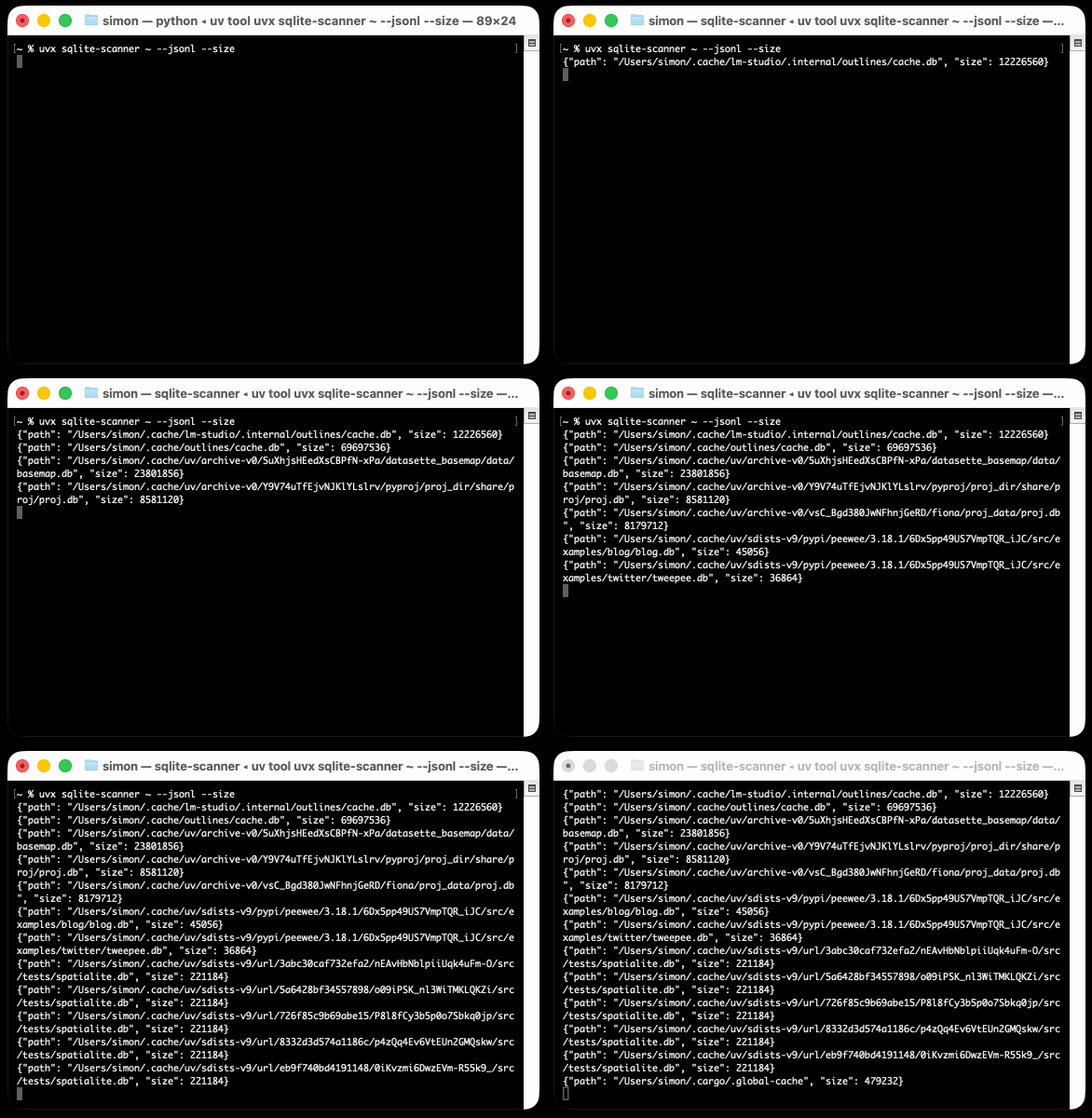
If you haven’t been uv-pilled yet you can instead install sqlite-scanner using pip install sqlite-scanner and then run sqlite-scanner.
To get a permanent copy with uv use uv tool install sqlite-scanner.
How the Python package works
The reason this is worth doing is that pip, uv and PyPI will work together to identify the correct compiled binary for your operating system and architecture.
This is driven by file names. If you visit the PyPI downloads for sqlite-scanner you’ll see the following files:
sqlite_scanner-0.1.1-py3-none-win_arm64.whlsqlite_scanner-0.1.1-py3-none-win_amd64.whlsqlite_scanner-0.1.1-py3-none-musllinux_1_2_x86_64.whlsqlite_scanner-0.1.1-py3-none-musllinux_1_2_aarch64.whlsqlite_scanner-0.1.1-py3-none-manylinux_2_17_x86_64.whlsqlite_scanner-0.1.1-py3-none-manylinux_2_17_aarch64.whlsqlite_scanner-0.1.1-py3-none-macosx_11_0_arm64.whlsqlite_scanner-0.1.1-py3-none-macosx_10_9_x86_64.whl
When I run pip install sqlite-scanner or uvx sqlite-scanner on my Apple Silicon Mac laptop Python’s packaging magic ensures I get that macosx_11_0_arm64.whl variant.
Here’s what’s in the wheel, which is a zip file with a .whl extension.
In addition to the bin/sqlite-scanner the most important file is sqlite_scanner/__init__.py which includes the following:
def get_binary_path():
    """Return the path to the bundled binary."""
    binary = os.path.join(os.path.dirname(__file__), "bin", "sqlite-scanner")

    # Ensure binary is executable on Unix
    if sys.platform != "win32":
        current_mode = os.stat(binary).st_mode
        if not (current_mode & stat.S_IXUSR):
            os.chmod(binary, current_mode | stat.S_IXUSR | stat.S_IXGRP | stat.S_IXOTH)

    return binary


def main():
    """Execute the bundled binary."""
    binary = get_binary_path()

    if sys.platform == "win32":
        # On Windows, use subprocess to properly handle signals
        sys.exit(subprocess.call([binary] + sys.argv[1:]))
    else:
        # On Unix, exec replaces the process
        os.execvp(binary, [binary] + sys.argv[1:])
That main() method—also called from sqlite_scanner/__main__.py—locates the binary and executes it when the Python package itself is executed, using the sqlite-scanner = sqlite_scanner:main entry point defined in the wheel.
Which means we can use it as a dependency
Using PyPI as a distribution platform for Go binaries feels a tiny bit abusive, albeit there is plenty of precedent.
I’ll justify it by pointing out that this means we can use Go binaries as dependencies for other Python packages now.
That’s genuinely useful! It means that any functionality which is available in a cross-platform Go binary can now be subsumed into a Python package. Python is really good at running subprocesses so this opens up a whole world of useful tricks that we can bake into our Python tools.
To demonstrate this, I built datasette-scan—a new Datasette plugin which depends on sqlite-scanner and then uses that Go binary to scan a folder for SQLite databases and attach them to a Datasette instance.
Here’s how to use that (without even installing anything first, thanks uv) to explore any SQLite databases in your Downloads folder:
uv run --with datasette-scan datasette scan ~/DownloadsIf you peek at the code you’ll see it depends on sqlite-scanner in pyproject.toml and calls it using subprocess.run() against sqlite_scanner.get_binary_path() in its own scan_directories() function.
I’ve been exploring this pattern for other, non-Go binaries recently—here’s a recent script that depends on static-ffmpeg to ensure that ffmpeg is available for the script to use.
Building Python wheels from Go packages with go-to-wheel
After trying this pattern myself a couple of times I realized it would be useful to have a tool to automate the process.
I first brainstormed with Claude to check that there was no existing tool to do this. It pointed me to maturin bin which helps distribute Rust projects using Python wheels, and pip-binary-factory which bundles all sorts of other projects, but did not identify anything that addressed the exact problem I was looking to solve.
So I had Claude Code for web build the first version, then refined the code locally on my laptop with the help of more Claude Code and a little bit of OpenAI Codex too, just to mix things up.
The full documentation is in the simonw/go-to-wheel repository. I’ve published that tool to PyPI so now you can run it using:
uvx go-to-wheel --helpThe sqlite-scanner package you can see on PyPI was built using go-to-wheel like this:
uvx go-to-wheel ~/dev/sqlite-scanner \
  --set-version-var main.version \
  --version 0.1.1 \
  --readme README.md \
  --author 'Simon Willison' \
  --url https://github.com/simonw/sqlite-scanner \
  --description 'Scan directories for SQLite databases'
This created a set of wheels in the dist/ folder. I tested one of them like this:
uv run --with dist/sqlite_scanner-0.1.1-py3-none-macosx_11_0_arm64.whl \
  sqlite-scanner --version
When that spat out the correct version number I was confident everything had worked as planned, so I pushed the whole set of wheels to PyPI using twine upload like this:
uvx twine upload dist/*I had to paste in a PyPI API token I had saved previously.
I expect to use this pattern a lot
sqlite-scanner is very clearly meant as a proof-of-concept for this wider pattern—Python is very much capable of recursively crawling a directory structure looking for files that start with a specific byte prefix on its own!
That said, I think there’s a lot to be said for this pattern. Go is a great complement to Python—it’s fast, compiles to small self-contained binaries, has excellent concurrency support and a rich ecosystem of libraries.
Go is similar to Python in that it has a strong standard library. Go is particularly good for HTTP tooling—I’ve built several HTTP proxies in the past using Go’s excellent net/http/httputil.ReverseProxy handler.
I’ve also been experimenting with wazero, Go’s robust and mature zero dependency WebAssembly runtime as part of my ongoing quest for the ideal sandbox for running untrusted code. Here’s my latest experiment with that library.
Being able to seamlessly integrate Go binaries into Python projects without the end user having to think about Go at all—they pip install and everything Just Works—feels like a valuable addition to my toolbox.
More recent articles
- The Axios supply chain attack used individually targeted social engineering - 3rd April 2026
- Highlights from my conversation about agentic engineering on Lenny's Podcast - 2nd April 2026
- Mr. Chatterbox is a (weak) Victorian-era ethically trained model you can run on your own computer - 30th March 2026