5 posts tagged “rodney”
2026
Stuart Breckenridge pointed out that PC Gamer Recommends RSS Readers in a 37MB Article That Just Keeps Downloading, highlighting a truly horrifying example of web bloat that added up to 100s more MBs thanks to auto-playing video ads. I decided to have Claude Code for web use Rodney to investigate the page - prompt here.
Agentic manual testing
The defining characteristic of a coding agent is that it can execute the code that it writes. This is what makes coding agents so much more useful than LLMs that simply spit out code without any way to verify it.
Never assume that code generated by an LLM works until that code has been executed.
Coding agents have the ability to confirm that the code they have produced works as intended, or iterate further on that code until it does. [... 1,231 words]
Rodney v0.4.0. My Rodney CLI tool for browser automation attracted quite the flurry of PRs since I announced it last week. Here are the release notes for the just-released v0.4.0:
- Errors now use exit code 2, which means exit code 1 is just for for check failures. #15
- New
rodney assertcommand for running JavaScript tests, exit code 1 if they fail. #19- New directory-scoped sessions with
--local/--globalflags. #14- New
reload --hardandclear-cachecommands. #17- New
rodney start --showoption to make the browser window visible. Thanks, Antonio Cuni. #13- New
rodney connect PORTcommand to debug an already-running Chrome instance. Thanks, Peter Fraenkel. #12- New
RODNEY_HOMEenvironment variable to support custom state directories. Thanks, Senko Rašić. #11- New
--insecureflag to ignore certificate errors. Thanks, Jakub Zgoliński. #10- Windows support: avoid
Setsidon Windows via build-tag helpers. Thanks, adm1neca. #18- Tests now run on
windows-latestandmacos-latestin addition to Linux.
I've been using Showboat to create demos of new features - here those are for rodney assert, rodney reload --hard, rodney exit codes, and rodney start --local.
The rodney assert command is pretty neat: you can now Rodney to test a web app through multiple steps in a shell script that looks something like this (adapted from the README):
#!/bin/bash
set -euo pipefail

FAIL=0

check() {
    if ! "$@"; then
        echo "FAIL: $*"
        FAIL=1
    fi
}

rodney start
rodney open "https://example.com"
rodney waitstable

# Assert elements exist
check rodney exists "h1"

# Assert key elements are visible
check rodney visible "h1"
check rodney visible "#main-content"

# Assert JS expressions
check rodney assert 'document.title' 'Example Domain'
check rodney assert 'document.querySelectorAll("p").length' '2'

# Assert accessibility requirements
check rodney ax-find --role navigation

rodney stop

if [ "$FAIL" -ne 0 ]; then
    echo "Some checks failed"
    exit 1
fi
echo "All checks passed"I'm a very heavy user of Claude Code on the web, Anthropic's excellent but poorly named cloud version of Claude Code where everything runs in a container environment managed by them, greatly reducing the risk of anything bad happening to a computer I care about.
I don't use the web interface at all (hence my dislike of the name) - I access it exclusively through their native iPhone and Mac desktop apps.
Something I particularly appreciate about the desktop app is that it lets you see images that Claude is "viewing" via its Read /path/to/image tool. Here's what that looks like:
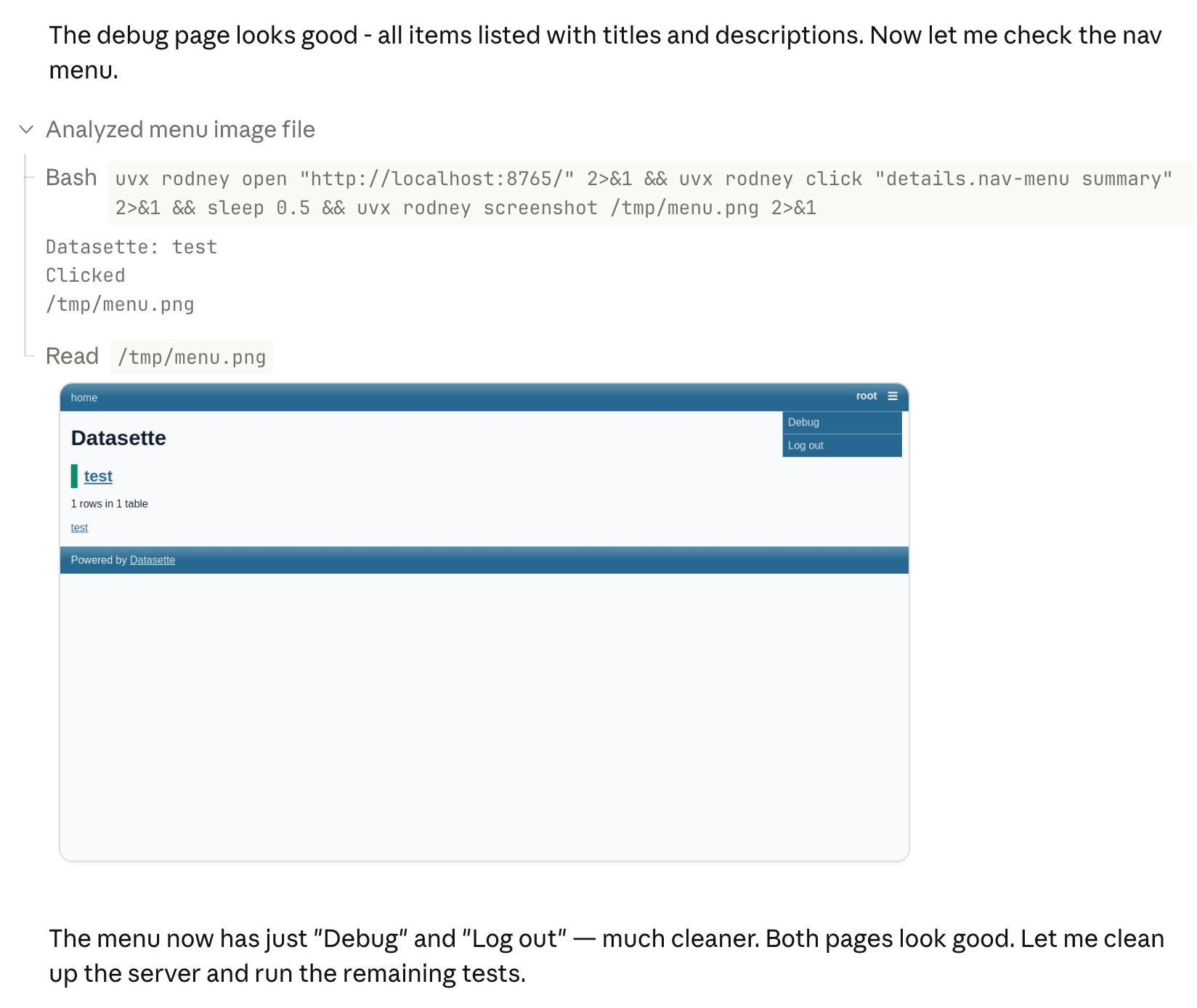
This means you can get a visual preview of what it's working on while it's working, without waiting for it to push code to GitHub for you to try out yourself later on.
The prompt I used to trigger the above screenshot was:
Run "uvx rodney --help" and then use Rodney to manually test the new pages and menu - look at screenshots from it and check you think they look OK
I designed Rodney to have --help output that provides everything a coding agent needs to know in order to use the tool.
The Claude iPhone app doesn't display opened images yet, so I requested it as a feature just now in a thread on Twitter.
Introducing Showboat and Rodney, so agents can demo what they’ve built
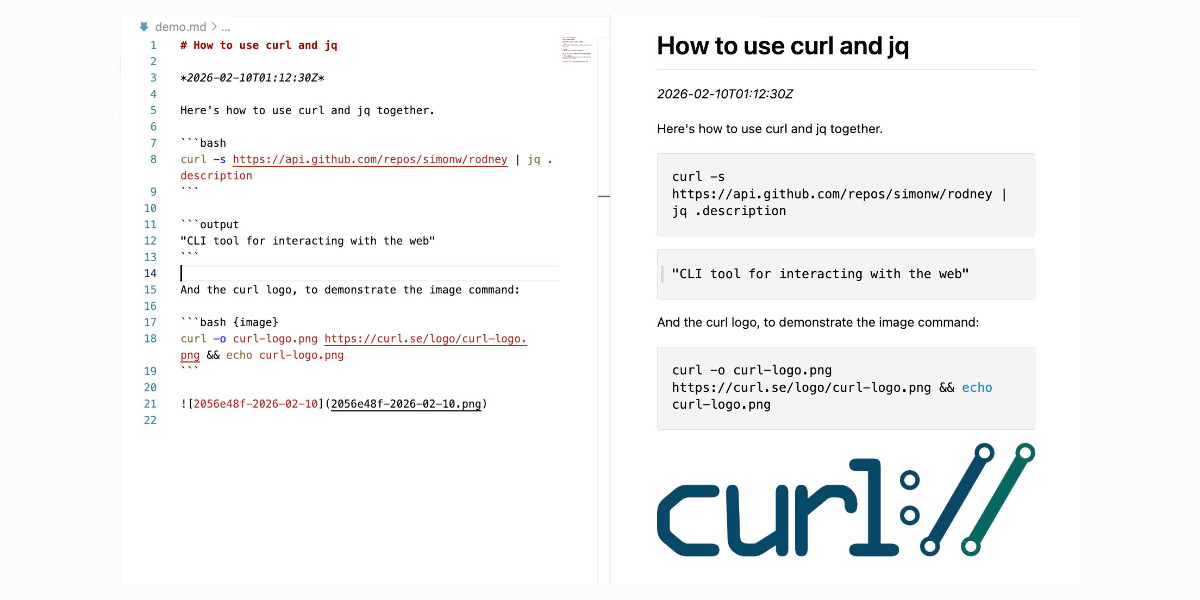
A key challenge working with coding agents is having them both test what they’ve built and demonstrate that software to you, their supervisor. This goes beyond automated tests—we need artifacts that show their progress and help us see exactly what the agent-produced software is able to do. I’ve just released two new tools aimed at this problem: Showboat and Rodney.
[... 2,023 words]