February 2025
117 posts: 7 entries, 48 links, 16 quotes, 46 beats
Feb. 7, 2025
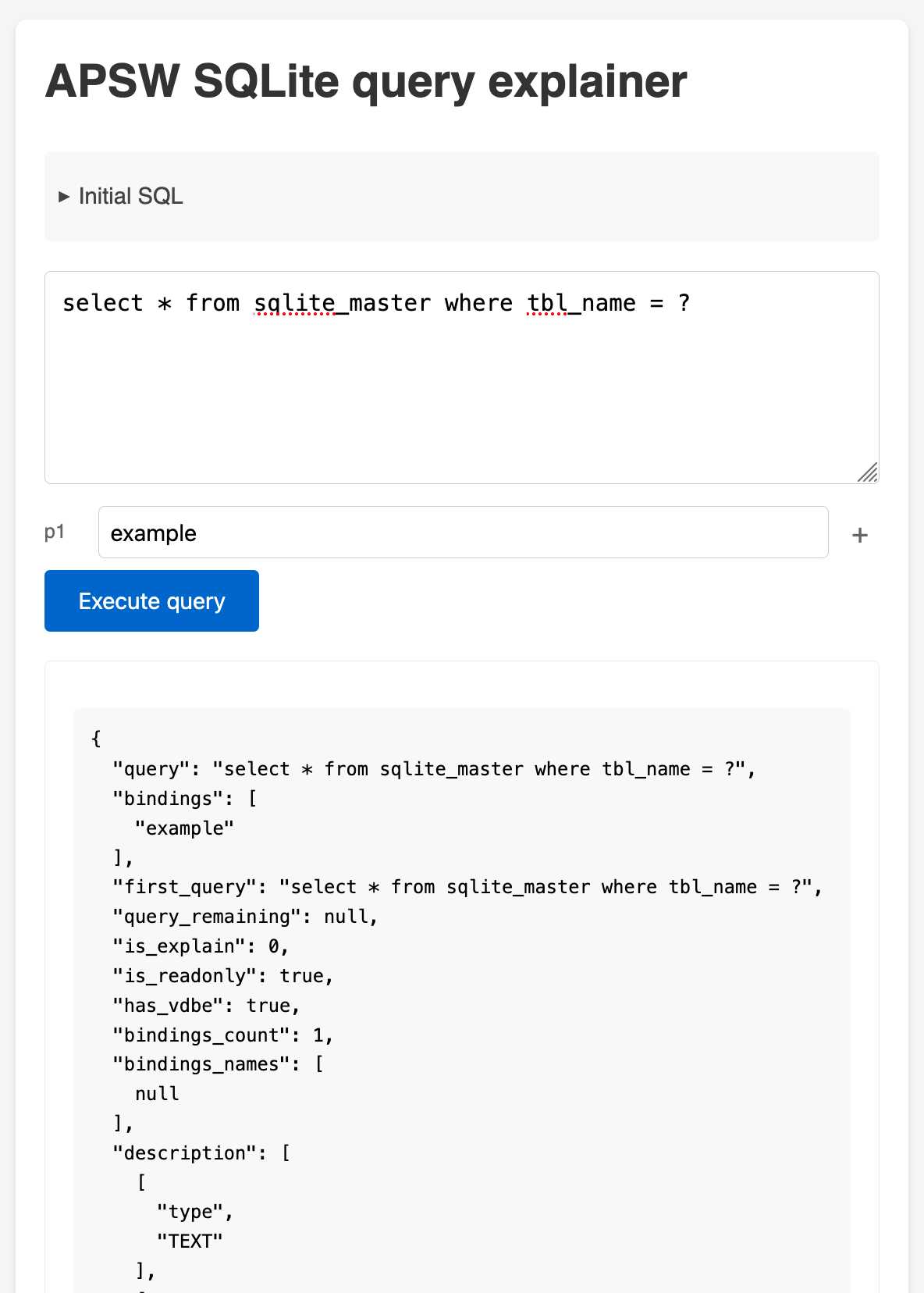
APSW SQLite query explainer. Today I found out about APSW's (Another Python SQLite Wrapper, in constant development since 2004) apsw.ext.query_info() function, which takes a SQL query and returns a very detailed set of information about that query - all without executing it.
It actually solves a bunch of problems I've wanted to address in Datasette - like taking an arbitrary query and figuring out how many parameters (?) it takes and which tables and columns are represented in the result.
I tried it out in my console (uv run --with apsw python) and it seemed to work really well. Then I remembered that the Pyodide project includes WebAssembly builds of a number of Python C extensions and was delighted to find apsw on that list.
... so I got Claude to build me a web interface for trying out the function, using Pyodide to run a user's query in Python in their browser via WebAssembly.
Claude didn't quite get it in one shot - I had to feed it the URL to a more recent Pyodide and it got stuck in a bug loop which I fixed by pasting the code into a fresh session.
sqlite-s3vfs (via) Neat open source project on the GitHub organisation for the UK government's Department for Business and Trade: a "Python virtual filesystem for SQLite to read from and write to S3."
I tried out their usage example by running it in a Python REPL with all of the dependencies
uv run --python 3.13 --with apsw --with sqlite-s3vfs --with boto3 python
It worked as advertised. When I listed my S3 bucket I found it had created two files - one called demo.sqlite/0000000000 and another called demo.sqlite/0000000001, both 4096 bytes because each one represented a SQLite page.
The implementation is just 200 lines of Python, implementing a new SQLite Virtual Filesystem on top of apsw.VFS.
The README includes this warning:
No locking is performed, so client code must ensure that writes do not overlap with other writes or reads. If multiple writes happen at the same time, the database will probably become corrupt and data be lost.
I wonder if the conditional writes feature added to S3 back in November could be used to protect against that happening. Tricky as there are multiple files involved, but maybe it (or a trick like this one) could be used to implement some kind of exclusive lock between multiple processes?
Using pip to install a Large Language Model that’s under 100MB
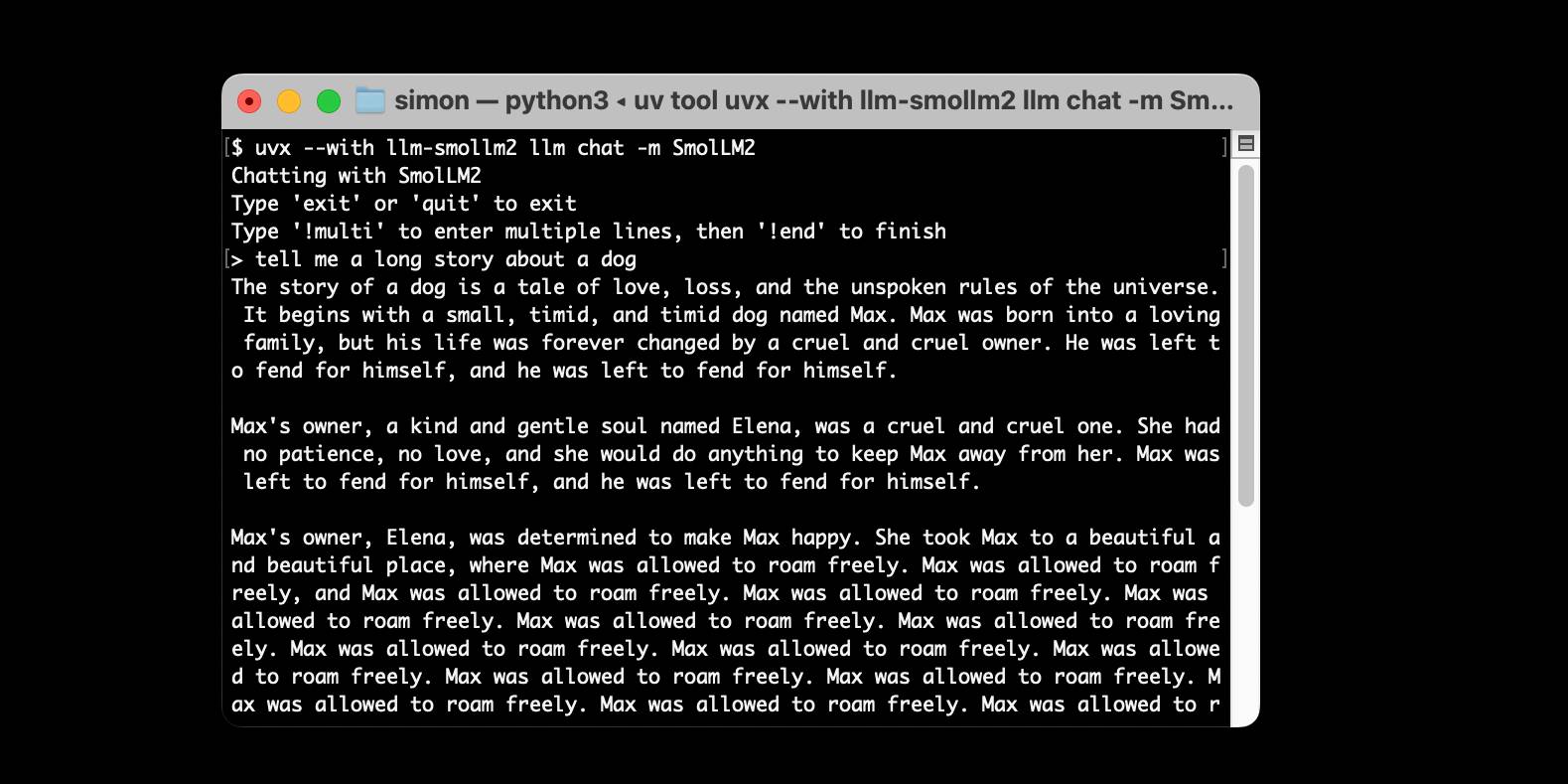
I just released llm-smollm2, a new plugin for LLM that bundles a quantized copy of the SmolLM2-135M-Instruct LLM inside of the Python package.
[... 1,553 words]Confession: we've been hiding parts of v0's responses from users since September. Since the launch of DeepSeek's web experience and its positive reception, we realize now that was a mistake. From now on, we're also showing v0's full output in every response. This is a much better UX because it feels faster and it teaches end users how to prompt more effectively.
— Jared Palmer, VP of AI at Vercel
Feb. 8, 2025
[...] We are destroying software with complex build systems.
We are destroying software with an absurd chain of dependencies, making everything bloated and fragile.
We are destroying software telling new programmers: “Don’t reinvent the wheel!”. But, reinventing the wheel is how you learn how things work, and is the first step to make new, different wheels. [...]
— Salvatore Sanfilippo, We are destroying software
Feb. 9, 2025
The cost to use a given level of AI falls about 10x every 12 months, and lower prices lead to much more use. You can see this in the token cost from GPT-4 in early 2023 to GPT-4o in mid-2024, where the price per token dropped about 150x in that time period. Moore’s law changed the world at 2x every 18 months; this is unbelievably stronger.
— Sam Altman, Three Observations
Feb. 10, 2025
Cerebras brings instant inference to Mistral Le Chat. Mistral announced a major upgrade to their Le Chat web UI (their version of ChatGPT) a few days ago, and one of the signature features was performance.
It turns out that performance boost comes from hosting their model on Cerebras:
We are excited to bring our technology to Mistral – specifically the flagship 123B parameter Mistral Large 2 model. Using our Wafer Scale Engine technology, we achieve over 1,100 tokens per second on text queries.
Given Cerebras's so far unrivaled inference performance I'm surprised that no other AI lab has formed a partnership like this already.
Feb. 11, 2025
llm-sort (via) Delightful LLM plugin by Evangelos Lamprou which adds the ability to perform "semantic search" - allowing you to sort the contents of a file based on using a prompt against an LLM to determine sort order.
Best illustrated by these examples from the README:
llm sort --query "Which names is more suitable for a pet monkey?" names.txt

cat titles.txt | llm sort --query "Which book should I read to cook better?"
It works using this pairwise prompt, which is executed multiple times using Python's sorted(documents, key=functools.cmp_to_key(compare_callback)) mechanism:
Given the query:
{query}

Compare the following two lines:

Line A:
{docA}

Line B:
{docB}

Which line is more relevant to the query? Please answer with "Line A" or "Line B".
From the lobste.rs comments, Cole Kurashige:
I'm not saying I'm prescient, but in The Before Times I did something similar with Mechanical Turk
This made me realize that so many of the patterns we were using against Mechanical Turk a decade+ ago can provide hints about potential ways to apply LLMs.
Feb. 12, 2025
Building a SNAP LLM eval: part 1. Dave Guarino (previously) has been exploring using LLM-driven systems to help people apply for SNAP, the US Supplemental Nutrition Assistance Program (aka food stamps).
This is a domain which existing models know some things about, but which is full of critical details around things like eligibility criteria where accuracy really matters.
Domain-specific evals like this are still pretty rare. As Dave puts it:
There is also not a lot of public, easily digestible writing out there on building evals in specific domains. So one of our hopes in sharing this is that it helps others build evals for domains they know deeply.
Having robust evals addresses multiple challenges. The first is establishing how good the raw models are for a particular domain. A more important one is to help in developing additional systems on top of these models, where an eval is crucial for understanding if RAG or prompt engineering tricks are paying off.
Step 1 doesn't involve writing any code at all:
Meaningful, real problem spaces inevitably have a lot of nuance. So in working on our SNAP eval, the first step has just been using lots of models — a lot. [...]
Just using the models and taking notes on the nuanced “good”, “meh”, “bad!” is a much faster way to get to a useful starting eval set than writing or automating evals in code.
I've been complaining for a while that there isn't nearly enough guidance about evals out there. This piece is an excellent step towards filling that gap.
Nomic Embed Text V2: An Open Source, Multilingual, Mixture-of-Experts Embedding Model (via) Nomic continue to release the most interesting and powerful embedding models. Their latest is Embed Text V2, an Apache 2.0 licensed multi-lingual 1.9GB model (here it is on Hugging Face) trained on "1.6 billion high-quality data pairs", which is the first embedding model I've seen to use a Mixture of Experts architecture:
In our experiments, we found that alternating MoE layers with 8 experts and top-2 routing provides the optimal balance between performance and efficiency. This results in 475M total parameters in the model, but only 305M active during training and inference.
I first tried it out using uv run like this:
uv run \
  --with einops \
  --with sentence-transformers \
  --python 3.13 python
Then:
from sentence_transformers import SentenceTransformer
model = SentenceTransformer("nomic-ai/nomic-embed-text-v2-moe", trust_remote_code=True)
sentences = ["Hello!", "¡Hola!"]
embeddings = model.encode(sentences, prompt_name="passage")
print(embeddings)
Then I got it working on my laptop using the llm-sentence-tranformers plugin like this:
llm install llm-sentence-transformers
llm install einops # additional necessary package
llm sentence-transformers register nomic-ai/nomic-embed-text-v2-moe --trust-remote-code

llm embed -m sentence-transformers/nomic-ai/nomic-embed-text-v2-moe -c 'string to embed'
This outputs a 768 item JSON array of floating point numbers to the terminal. These are Matryoshka embeddings which means you can truncate that down to just the first 256 items and get similarity calculations that still work albeit slightly less well.
To use this for RAG you'll need to conform to Nomic's custom prompt format. For documents to be searched:
search_document: text of document goes here
And for search queries:
search_query: term to search for
I landed a new --prepend option for the llm embed-multi command to help with that, but it's not out in a full release just yet. (Update: it's now out in LLM 0.22.)
I also released llm-sentence-transformers 0.3 with some minor improvements to make running this model more smooth.
We want AI to “just work” for you; we realize how complicated our model and product offerings have gotten.
We hate the model picker as much as you do and want to return to magic unified intelligence.
We will next ship GPT-4.5, the model we called Orion internally, as our last non-chain-of-thought model.
After that, a top goal for us is to unify o-series models and GPT-series models by creating systems that can use all our tools, know when to think for a long time or not, and generally be useful for a very wide range of tasks.
In both ChatGPT and our API, we will release GPT-5 as a system that integrates a lot of our technology, including o3. We will no longer ship o3 as a standalone model.
[When asked about release dates for GPT 4.5 / GPT 5:] weeks / months
Feb. 13, 2025
URL-addressable Pyodide Python environments
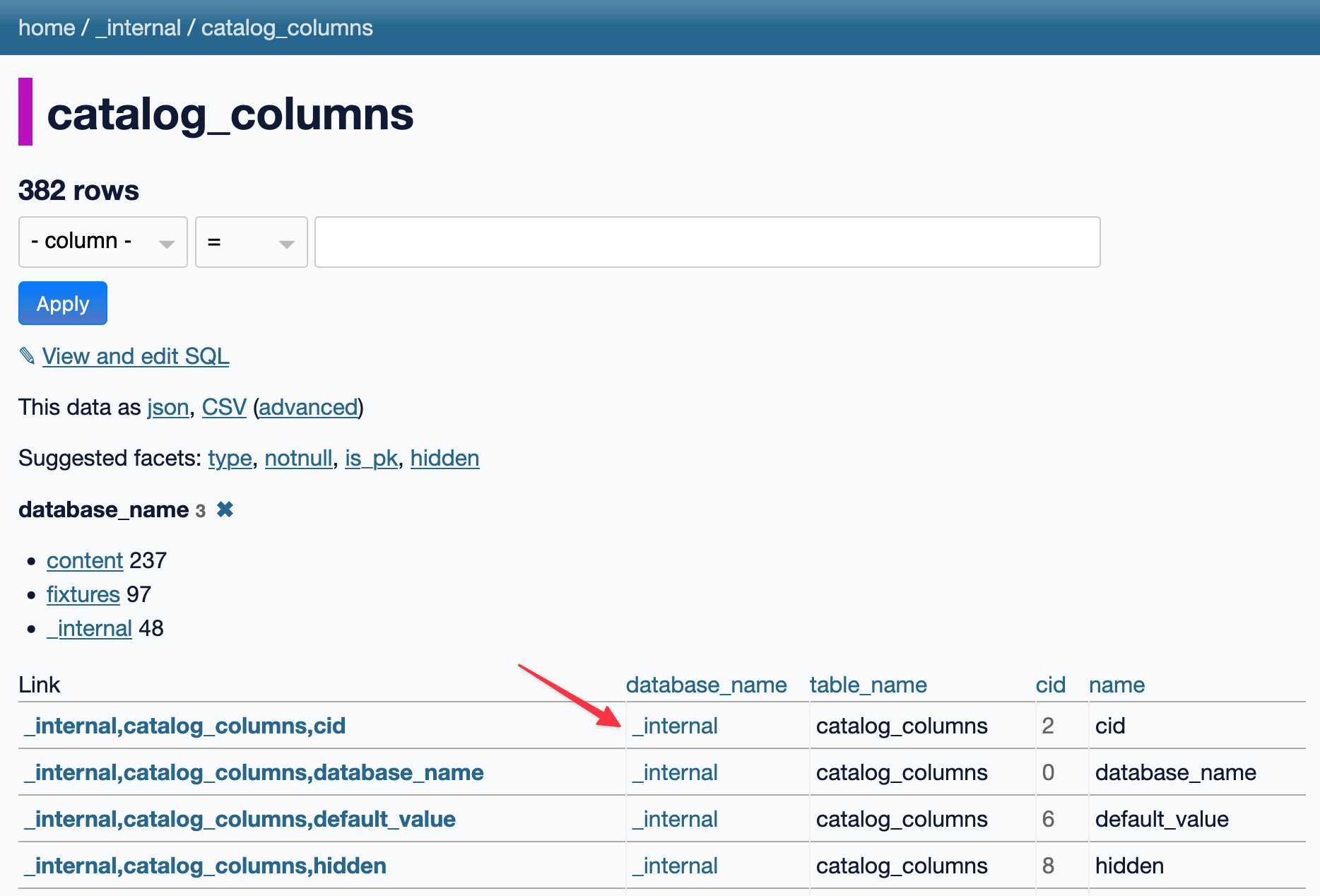
This evening I spotted an obscure bug in Datasette, using Datasette Lite. I figure it’s a good opportunity to highlight how useful it is to have a URL-addressable Python environment, powered by Pyodide and WebAssembly.
[... 1,905 words]python-build-standalone now has Python 3.14.0a5. Exciting news from Charlie Marsh:
We just shipped the latest Python 3.14 alpha (3.14.0a5) to uv and python-build-standalone. This is the first release that includes the tail-calling interpreter.
Our initial benchmarks show a ~20-30% performance improvement across CPython.
This is an optimization that was first discussed in faster-cpython in January 2024, then landed earlier this month by Ken Jin and included in the 3.14a05 release. The alpha release notes say:
A new type of interpreter based on tail calls has been added to CPython. For certain newer compilers, this interpreter provides significantly better performance. Preliminary numbers on our machines suggest anywhere from -3% to 30% faster Python code, and a geometric mean of 9-15% faster on pyperformance depending on platform and architecture. The baseline is Python 3.14 built with Clang 19 without this new interpreter.
This interpreter currently only works with Clang 19 and newer on x86-64 and AArch64 architectures. However, we expect that a future release of GCC will support this as well.
Including this in python-build-standalone means it's now trivial to try out via uv. I upgraded to the latest uv like this:
pip install -U uvThen ran uv python list to see the available versions:
cpython-3.14.0a5+freethreaded-macos-aarch64-none    <download available>
cpython-3.14.0a5-macos-aarch64-none                 <download available>
cpython-3.13.2+freethreaded-macos-aarch64-none      <download available>
cpython-3.13.2-macos-aarch64-none                   <download available>
cpython-3.13.1-macos-aarch64-none                   /opt/homebrew/opt/python@3.13/bin/python3.13 -> ../Frameworks/Python.framework/Versions/3.13/bin/python3.13
I downloaded the new alpha like this:
uv python install cpython-3.14.0a5And tried it out like so:
uv run --python 3.14.0a5 pythonThe Astral team have been using Ken's bm_pystones.py benchmarks script. I grabbed a copy like this:
wget 'https://gist.githubusercontent.com/Fidget-Spinner/e7bf204bf605680b0fc1540fe3777acf/raw/fa85c0f3464021a683245f075505860db5e8ba6b/bm_pystones.py'And ran it with uv:
uv run --python 3.14.0a5 bm_pystones.pyGiving:
Pystone(1.1) time for 50000 passes = 0.0511138
This machine benchmarks at 978209 pystones/second
Inspired by Charlie's example I decided to try the hyperfine benchmarking tool, which can run multiple commands to statistically compare their performance. I came up with this recipe:
brew install hyperfine
hyperfine \
  "uv run --python 3.14.0a5 bm_pystones.py" \
  "uv run --python 3.13 bm_pystones.py" \
  -n tail-calling \
  -n baseline \
--warmup 10![Running that command produced: Benchmark 1: tail-calling Time (mean ± σ): 71.5 ms ± 0.9 ms [User: 65.3 ms, System: 5.0 ms] Range (min … max): 69.7 ms … 73.1 ms 40 runs Benchmark 2: baseline Time (mean ± σ): 79.7 ms ± 0.9 ms [User: 73.9 ms, System: 4.5 ms] Range (min … max): 78.5 ms … 82.3 ms 36 runs Summary tail-calling ran 1.12 ± 0.02 times faster than baseline](https://static.simonwillison.net/static/2025/hyperfine-uv.jpg)
So 3.14.0a5 scored 1.12 times faster than 3.13 on the benchmark (on my extremely overloaded M2 MacBook Pro).
shot-scraper 1.6 with support for HTTP Archives. New release of my shot-scraper CLI tool for taking screenshots and scraping web pages.
The big new feature is HTTP Archive (HAR) support. The new shot-scraper har command can now create an archive of a page and all of its dependents like this:
shot-scraper har https://datasette.io/
This produces a datasette-io.har file (currently 163KB) which is JSON representing the full set of requests used to render that page. Here's a copy of that file. You can visualize that here using ericduran.github.io/chromeHAR.
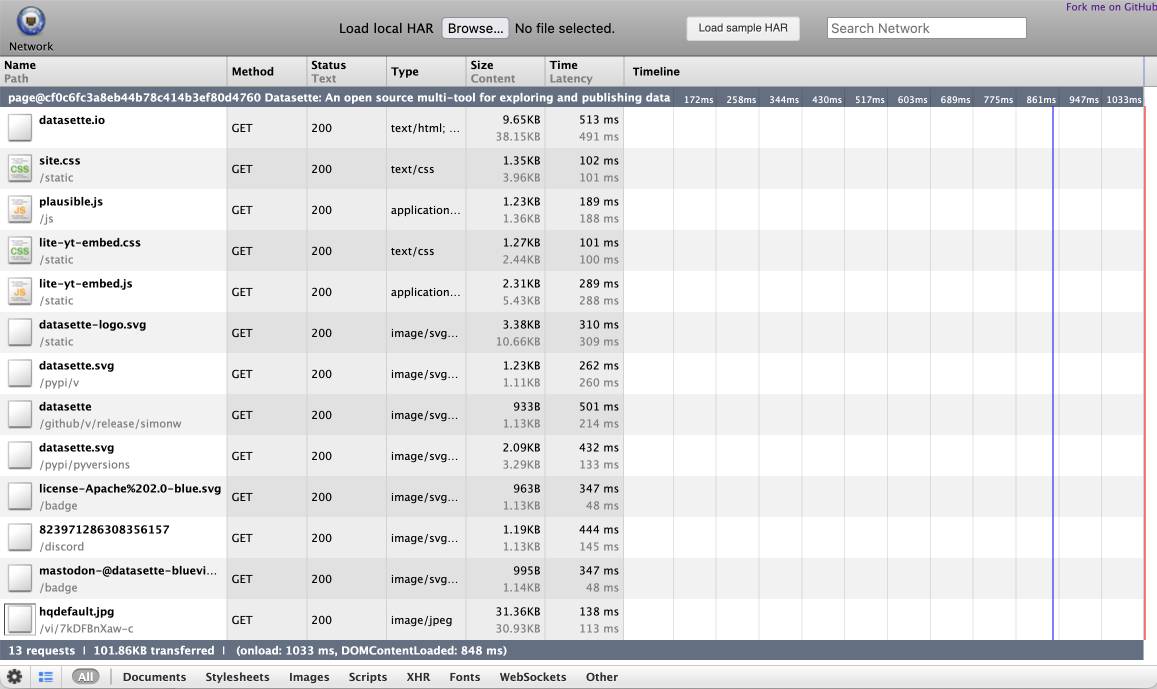
That JSON includes full copies of all of the responses, base64 encoded if they are binary files such as images.
You can add the --zip flag to instead get a datasette-io.har.zip file, containing JSON data in har.har but with the response bodies saved as separate files in that archive.
The shot-scraper multi command lets you run shot-scraper against multiple URLs in sequence, specified using a YAML file. That command now takes a --har option (or --har-zip or --har-file name-of-file), described in the documentation, which will produce a HAR at the same time as taking the screenshots.
Shots are usually defined in YAML that looks like this:
- output: example.com.png
  url: http://www.example.com/
- output: w3c.org.png
  url: https://www.w3.org/
You can now omit the output: keys and generate a HAR file without taking any screenshots at all:
- url: http://www.example.com/
- url: https://www.w3.org/
Run like this:
shot-scraper multi shots.yml --har
Which outputs:
Skipping screenshot of 'https://www.example.com/'
Skipping screenshot of 'https://www.w3.org/'
Wrote to HAR file: trace.har
shot-scraper is built on top of Playwright, and the new features use the browser.new_context(record_har_path=...) parameter.
Feb. 14, 2025
How to add a directory to your PATH. Classic Julia Evans piece here, answering a question which you might assume is obvious but very much isn't.
Plenty of useful tips in here, plus the best explanation I've ever seen of the three different Bash configuration options:
Bash has three possible config files:
~/.bashrc,~/.bash_profile, and~/.profile.If you're not sure which one your system is set up to use, I'd recommend testing this way:
- add
echo hi thereto your~/.bashrc- Restart your terminal
- If you see "hi there", that means
~/.bashrcis being used! Hooray!- Otherwise remove it and try the same thing with
~/.bash_profile- You can also try
~/.profileif the first two options don't work.
This article also reminded me to try which -a again, which gave me this confusing result for datasette:
% which -a datasette
/opt/homebrew/Caskroom/miniconda/base/bin/datasette
/Users/simon/.local/bin/datasette
/Users/simon/.local/bin/datasette
Why is the second path in there twice? I figured out how to use rg to search just the dot-files in my home directory:
rg local/bin -g '/.*' --max-depth 1
And found that I have both a .zshrc and .zprofile file that are adding that to my path:
.zshrc.backup
4:export PATH="$PATH:/Users/simon/.local/bin"

.zprofile
5:export PATH="$PATH:/Users/simon/.local/bin"

.zshrc
7:export PATH="$PATH:/Users/simon/.local/bin"
files-to-prompt 0.5.
My files-to-prompt tool (originally built using Claude 3 Opus back in April) had been accumulating a bunch of issues and PRs - I finally got around to spending some time with it and pushed a fresh release:
- New
-n/--line-numbersflag for including line numbers in the output. Thanks, Dan Clayton. #38- Fix for utf-8 handling on Windows. Thanks, David Jarman. #36
--ignorepatterns are now matched against directory names as well as file names, unless you pass the new--ignore-files-onlyflag. Thanks, Nick Powell. #30
I use this tool myself on an almost daily basis - it's fantastic for quickly answering questions about code. Recently I've been plugging it into Gemini 2.0 with its 2 million token context length, running recipes like this one:
git clone https://github.com/bytecodealliance/componentize-py
cd componentize-py
files-to-prompt . -c | llm -m gemini-2.0-pro-exp-02-05 \
  -s 'How does this work? Does it include a python compiler or AST trick of some sort?'
I ran that question against the bytecodealliance/componentize-py repo - which provides a tool for turning Python code into compiled WASM - and got this really useful answer.
Here's another example. I decided to have o3-mini review how Datasette handles concurrent SQLite connections from async Python code - so I ran this:
git clone https://github.com/simonw/datasette
cd datasette/datasette
files-to-prompt database.py utils/__init__.py -c | \
  llm -m o3-mini -o reasoning_effort high \
  -s 'Output in markdown a detailed analysis of how this code handles the challenge of running SQLite queries from a Python asyncio application. Explain how it works in the first section, then explore the pros and cons of this design. In a final section propose alternative mechanisms that might work better.'
Here's the result. It did an extremely good job of explaining how my code works - despite being fed just the Python and none of the other documentation. Then it made some solid recommendations for potential alternatives.
I added a couple of follow-up questions (using llm -c) which resulted in a full working prototype of an alternative threadpool mechanism, plus some benchmarks.
One final example: I decided to see if there were any undocumented features in Litestream, so I checked out the repo and ran a prompt against just the .go files in that project:
git clone https://github.com/benbjohnson/litestream
cd litestream
files-to-prompt . -e go -c | llm -m o3-mini \
  -s 'Write extensive user documentation for this project in markdown'
Once again, o3-mini provided a really impressively detailed set of unofficial documentation derived purely from reading the source.