Simon Willison’s Weblog

Newsletter

Saturday, 14th November 2026

A new release of Datasette's longest untouched plugin, for rendering charts (using Vega-Lite) against data in a table or custom query. The last release was in July 2018!

I finally bumped it for compatibility with the latest Datasette alphas, plus some cosmetic tweaks to make it work better with Datasette Lite.

(Datasette Lite just gained the ability to run JavaScript plugins like this! I'll write more about that soon.)

Since it works with Datasette Lite, the live demo in the README now links to this demo on Datasette Lite.
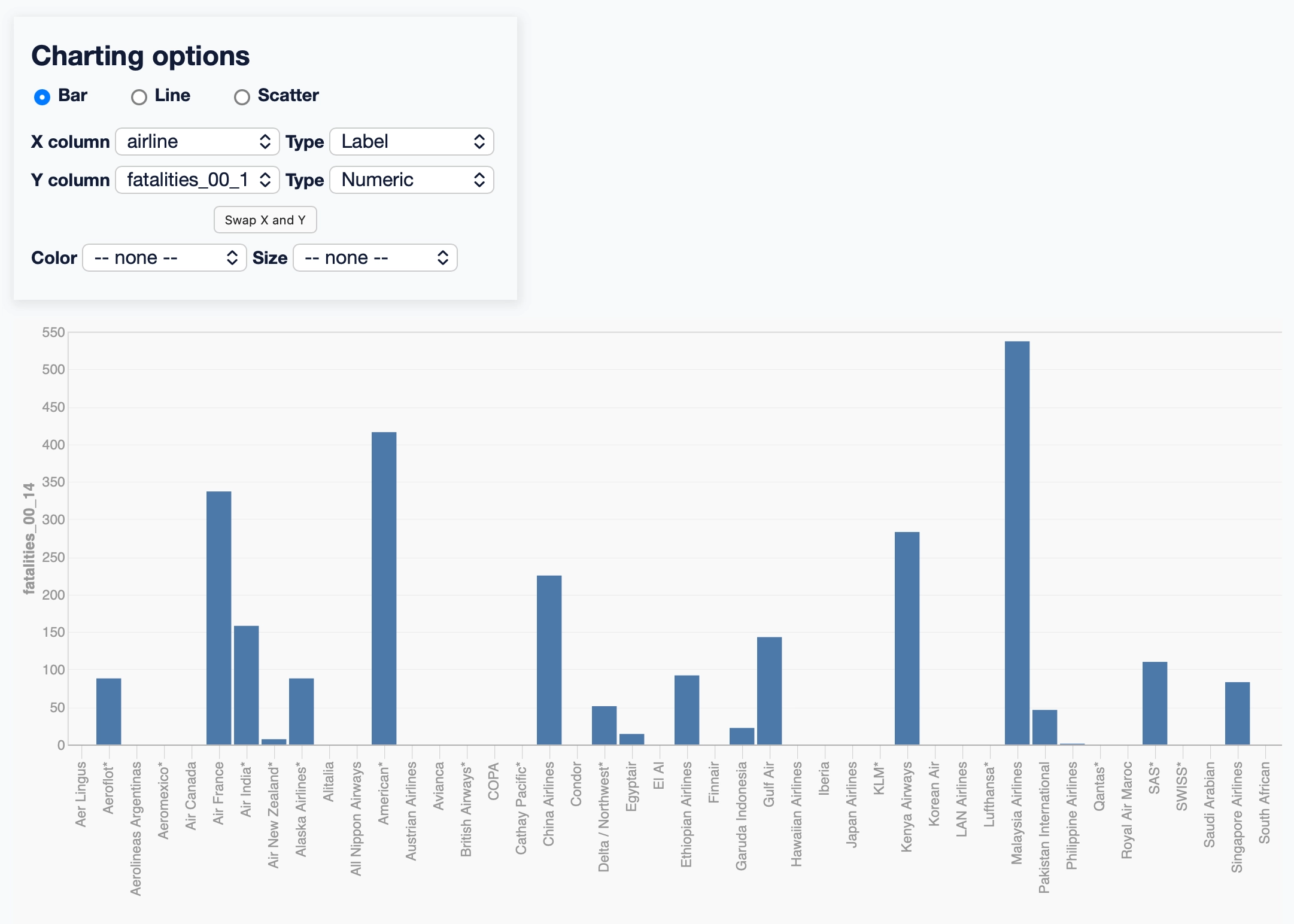
Screenshot of a charting tool. A panel headed "Charting options" has radio buttons for "Bar" (selected), "Line" and "Scatter". Below are select menus: "X column" set to "airline" with "Type" set to "Label", and "Y column" set to "fatalities_00_14" with "Type" set to "Numeric". A "Swap X and Y" button sits beneath those, followed by "Color" and "Size" menus both set to "-- none --". Underneath the panel is a blue bar chart with airline names along the X axis and fatalities_00_14 on the Y axis, running from 0 to 550 - most airlines have no bar, a handful have bars, and Malaysia Airlines is the tallest.

Sighting 3:03 PM — Brown-headed Cowbird, in Monterey Bay National Marine Sanctuary, CA, US, CA
Brown-headed Cowbird

datasette-llm is the intermediate plugin for Datasette that supports configuring LLMs for use with other Datasette plugins.

This release adds support for OpenAI-compatible endpoints, so you can configure Datasette to use an LLM hosted anywhere that talks the OpenAI pseudo-standard web protocol.

This means that if you're running local models with LM Studio or Ollama or llama.cpp (which just hit v1.0.0) you can run Datasette via uvx like this:

wget https://datasette.io/content.db

uvx --with datasette-agent datasette \
  --root --secret 1 \
  -s plugins.datasette-llm.default_model '{
    "model": "lmstudio-qwen",
    "model_name": "qwen/qwen3.8-27b",
    "api_base": "http://localhost:1234/v1"
  }' content.db

And you'll get a local server running a Datasette Agent instance powered by your local model!
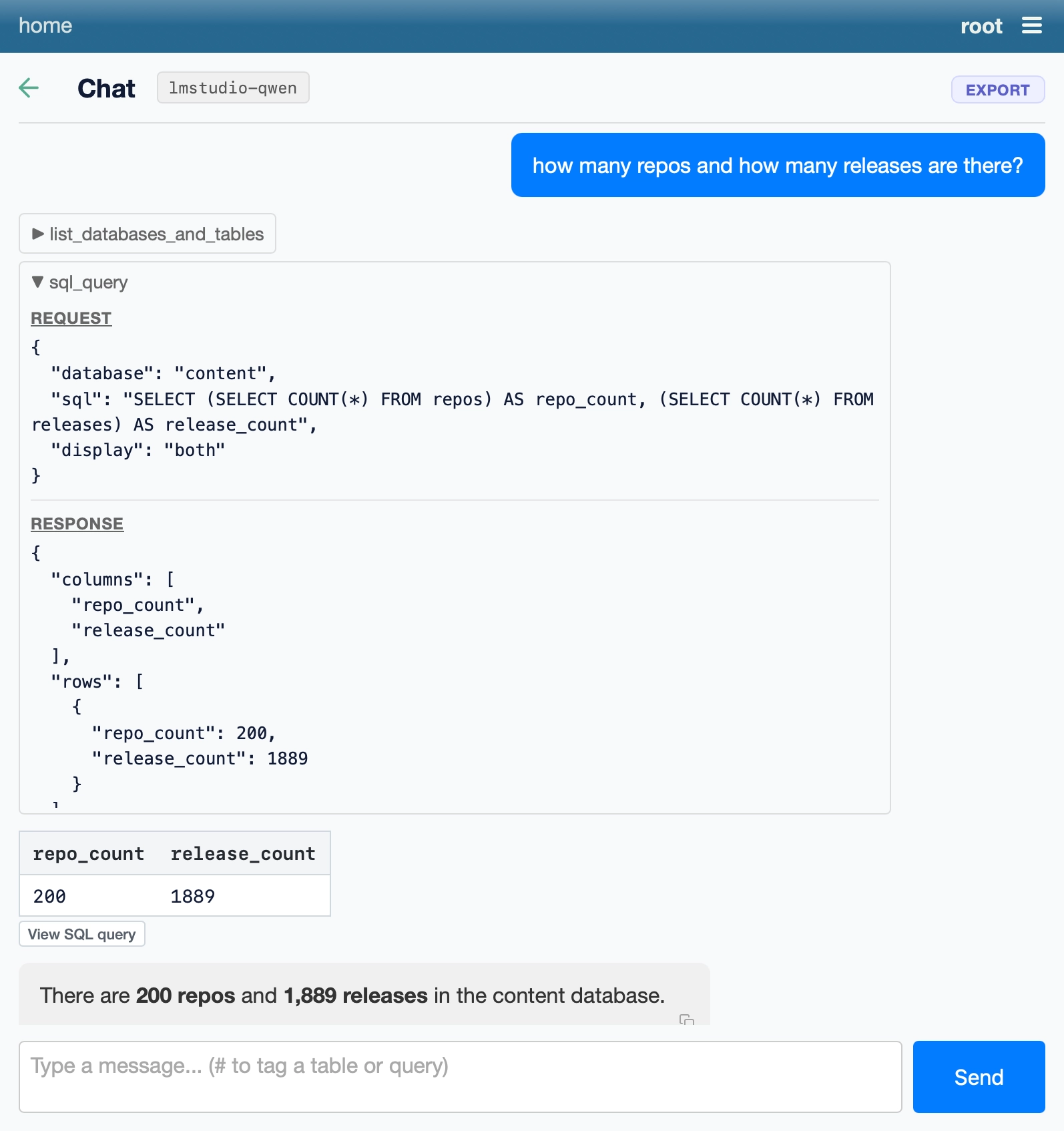
Screenshot of a chat interface. Header bar reads "home" on the left and "root" with a hamburger menu icon on the right. Below is a back arrow, the heading "Chat", a model label "lmstudio-qwen" and an "EXPORT" button. A blue user message bubble says "how many repos and how many releases are there?" Below it is a collapsed tool call "list_databases_and_tables" and an expanded tool call "sql_query". Its REQUEST section shows database "content", display "both" and the SQL: SELECT (SELECT COUNT(*) FROM repos) AS repo_count, (SELECT COUNT(*) FROM releases) AS release_count. Its RESPONSE section shows columns repo_count and release_count with a single row of 200 and 1889. Below that is a table with columns repo_count and release_count and one row: 200, 1889, followed by a "View SQL query" button. The assistant reply reads "There are 200 repos and 1,889 releases in the content database." At the bottom is a text input with placeholder "Type a message... (# to tag a table or query)" and a blue "Send" button.

← Friday, 13th November 2026

2026 » November

MTWTFSS
      1
2345678
9101112131415
16171819202122
23242526272829
30